Reports
Revenue, Customer, and Item Sales Reports
Analyze published sales by period, customer, and item with drill-down to source documents.
Revenue report
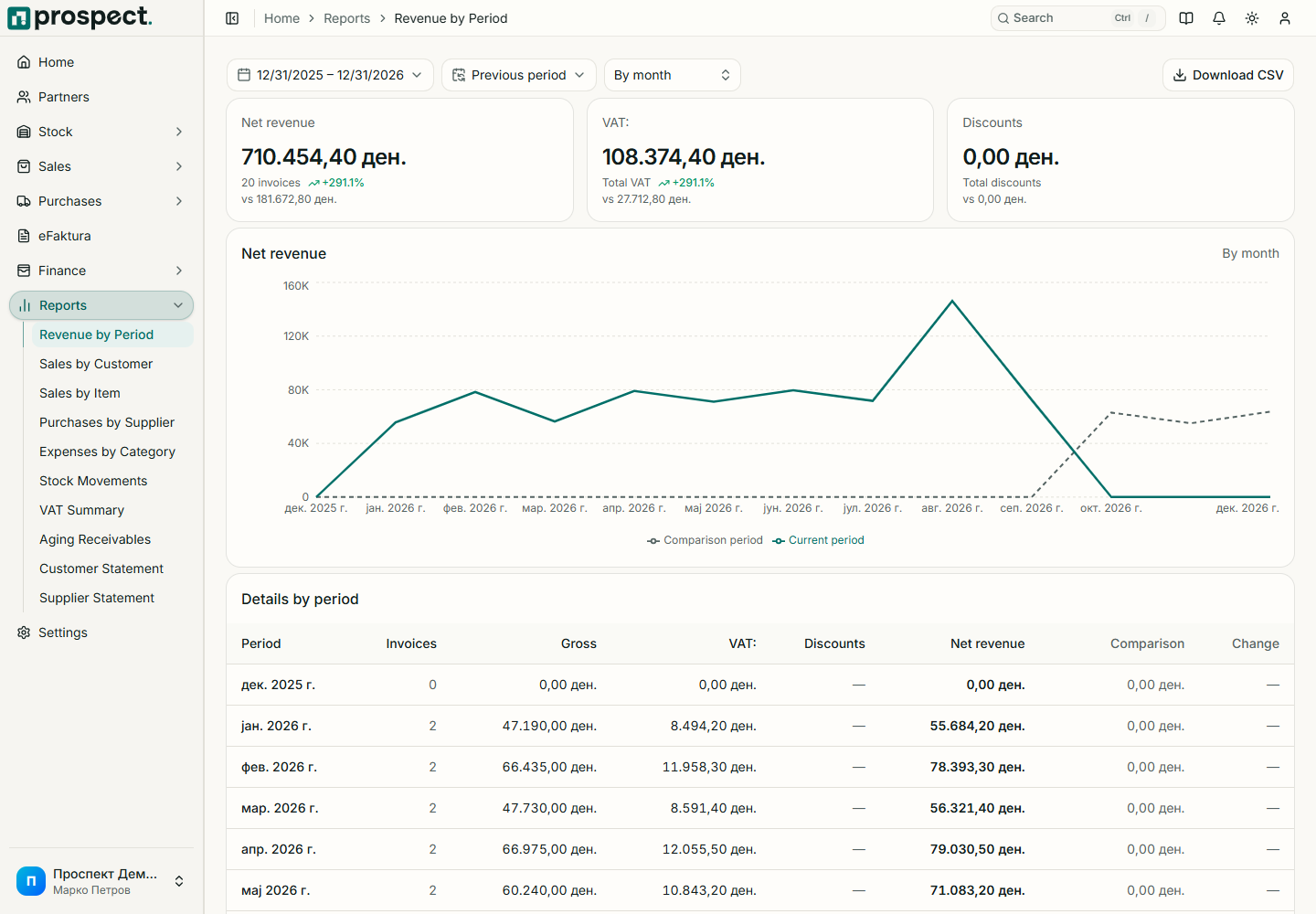
- Revenue by period groups eligible sales into time buckets with net, VAT, and gross totals.
- Sales by customer compares invoiced, paid, and outstanding amounts and opens the partner.
- Sales by item shows quantity and sales value and opens the item history.
Set the same inclusive period and status assumptions when comparing reports. Credits and cancellations reduce or exclude values according to their financial treatment. Payment totals describe settlement, not revenue recognition. An item report mixes only eligible commercial lines; stock movement and margin questions require the corresponding inventory sources.
Export the filtered data and record its period when sharing it. For unpaid balances, use Aging and customer statements.